
NATS is an initiative by the Ministry of Education, Government of India, run through the Board of Apprenticeship Training (BOAT), designed to provide structured hands‑on apprenticeship training to recent engineering and diploma graduates in India.
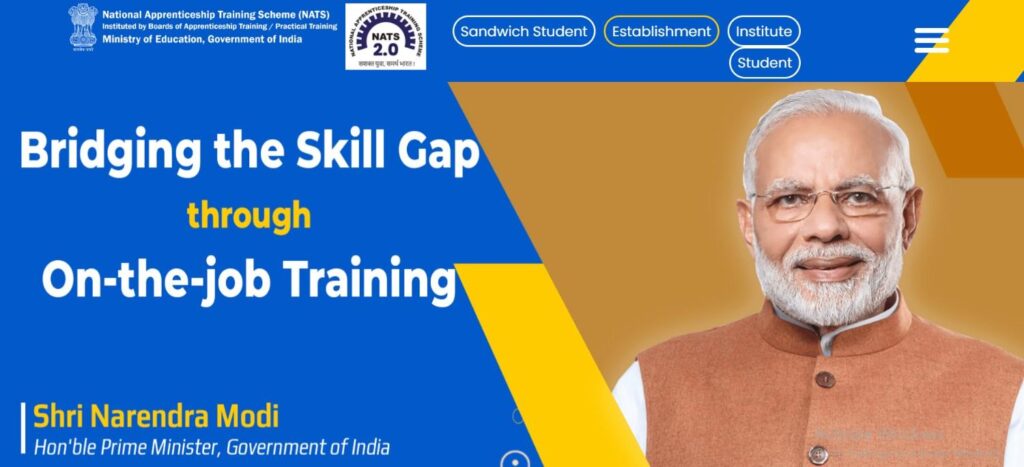
Features of the NATS Portal
- Covers student registration, employer (establishment) registration, and Institute/BOAT logins.
- Offers separate dashboards and manuals for Students, Employers, and Institutes/BOAT to manage applications, reports, and DBT disbursals.
- Includes help videos and instructional guides for each user type (students, establishments).
Step-by-Step Guide for Student Registration on NATS Portal
🔗 Portal: https://nats.education.gov.in
🟢 Step 1: Visit the NATS Portal
- Open your browser and go to 👉 https://nats.education.gov.in
- Click on “Student” → “Enroll” on the homepage.
🧾 Step 2: Check Eligibility
Before starting registration:
- You must be a graduate, diploma holder, or student pursuing final year from a recognized institute.
- You must be an Indian citizen with a valid Aadhaar number.
- You should not have completed an apprenticeship under NATS previously.
📝 Step 3: Fill the Enrollment Form
Sections to complete:
- Personal Information
- Name, DOB, Gender, Category, Mobile, Email, Aadhaar
- Address Information
- Present and Permanent address
- Education Details
- Course type (Degree/Diploma), Branch, Year of passing
- Institution Details
- Name of college/institute, state, university
- Bank Details
- Bank name, Account number, IFSC (for stipend)
- Login Credentials
- Create a username and password for future login
✅ Review all entered details before submitting.
📤 Step 4: Upload Required Documents
Upload scanned copies of:
- Passport-size Photograph
- Aadhaar Card
- Qualification Certificate/Marksheet
- Bank Passbook (first page)
- Signature
🔐 Step 5: Email Verification
- After submission, a verification link is sent to your email.
- Click the link to activate your NATS student account.
🧑💻 Step 6: Login & Complete Profile
- Go back to the portal and log in using your credentials.
- Complete your profile including skills, preferences, and resume upload (if any).
💼 Step 7: Apply for Apprenticeship Opportunities
- Visit the “Opportunities” section.
- Filter jobs by sector, location, or company.
- Click on any opening to read job details and then apply.
📃 Step 8: Await Selection & Contract
- If selected, you will receive a confirmation in your dashboard/email.
- Approve and digitally sign the Apprenticeship Contract via the portal.
💰 Step 9: Receive Stipend
- Once apprenticeship begins, your attendance and performance are tracked.
- Stipend is deposited monthly to your registered bank account via DBT.
🎓 Step 10: Certification After Completion
- After successful training, you’ll receive an Apprenticeship Certificate from NATS/BOAT, which helps in career/job placements.
Step-by-Step Guide: Employer Registration on NATS Portal
🔗 Step 1: Visit the Portal
Go to 👉 https://nats.education.gov.in
Click on “Establishment” → “Register”
🧾 Step 2: Prepare Required Information
You will need:
- Company PAN and TAN
- Establishment name and address
- Sector of operation (e.g., manufacturing, IT, etc.)
- Number of employees and apprentices planned
- Contact person details
- Company logo (optional)
📝 Step 3: Fill the Online Registration Form
Enter:
- Basic company info
- Head of establishment details
- Contact information (email & mobile)
- Address for communication
- Nature of business
- Apprentice category: Graduate / Diploma / Technician
- Preferred BOAT (Northern/Southern/Eastern/Western)
Click “Submit” once the form is complete.
🔐 Step 4: Email Verification & Login Creation
You’ll receive an activation email.
📩 Click the verification link to activate your account.
You can then log in using your registered email and password.
⚙️ Step 5: Post Apprenticeship Vacancies
Once logged in:
- Go to “Manage Apprenticeship” > “Post Openings”
- Fill in details:
- Number of positions
- Discipline (e.g., Mechanical, Electrical)
- Stipend offered
- Location & duration
- Click “Publish”
🔄 Step 6: Receive Applications
- Students can now apply for your apprenticeship positions.
- You can screen candidates, call for interview, or directly engage.
🧾 Step 7: Contract Generation & Approval
- Generate the apprenticeship contract digitally.
- Submit for approval via your BOAT regional office.
💵 Step 8: Stipend Disbursement via DBT
- Upload attendance and performance data monthly.
- BOAT verifies and releases stipend via Direct Benefit Transfer (DBT) to the apprentice’s bank account.
✅ Step 9: Completion & Certificate
- At the end of the training, assess the apprentice.
- Generate completion certificate via the portal.
Step-by-Step Guide: Institute Registration on NATS Portal
🔗 Step 1: Go to NATS Portal
Navigate to 👉 https://nats.education.gov.in
Click on “Institute Login” → “Register Institute”
🧾 Step 2: Prepare Details
Keep ready:
- Institute name and type (Govt/Private)
- AICTE/UGC affiliation details
- Contact person and principal info
- Courses offered (Diploma, Engineering)
- Institute PAN, address, website
📝 Step 3: Fill Institute Registration Form
Include:
- Principal name and email
- Training & Placement Officer details
- AICTE/NAAC/NBA approvals
- Student strength per course/branch
Click “Submit”.
🔐 Step 4: Verify Email & Login
An activation email is sent. Click the link to confirm and activate your login.
🗃️ Step 5: Manage Student Enrollments
- Upload student data via bulk Excel or individual entry.
- Verify documents (Aadhaar, bank passbook, academic certificates).
- Forward to BOAT for validation.
📊 Step 6: Monitor Apprenticeship Engagement
Track:
- Placement stats
- Industry participation
- Stipend disbursal
- Certificates issued